
Ecommerce App - Register a New Account
|
Before we can register you within this application you need to have some
WooCommerce information available. Please follow these steps to set up your WooCommerce admin
environment and create tokens and webhooks as needed.
|
|
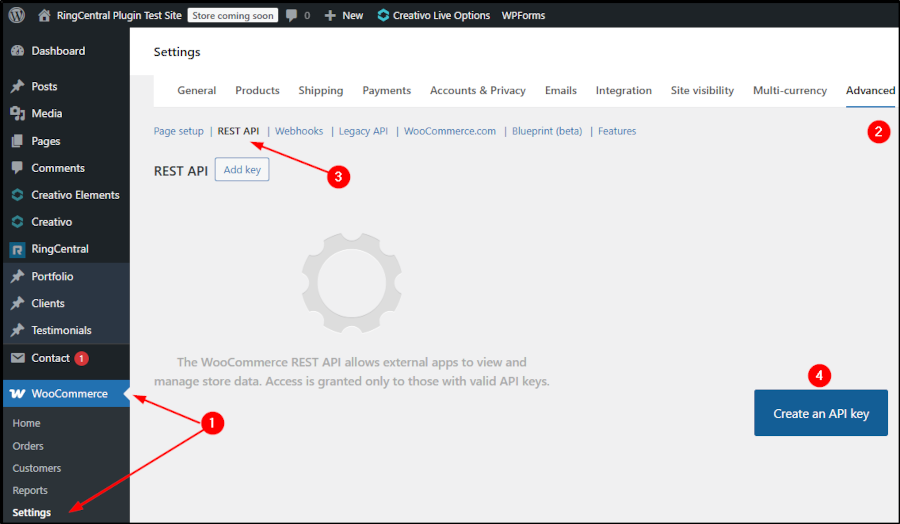
The first thing to do is to create a WooCommerce REST API Keys set for use within this
RingCentral application. Within your WooCommerce admin area (within WordPress Admin) select the "Settings" link
[1] Next, click on the "Advanced" [2]
link and then the REST API sub-section. [3], as shown in the following image.
Click on the "Create an API key" button [4]
|
|
|
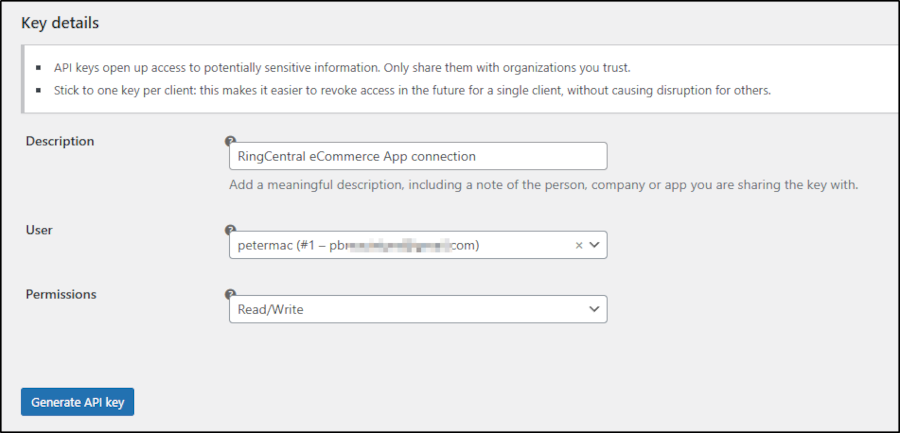
The following form will appear, fill in the appropriate information making sure to select
"Read/Write" for the Permissions drop-down. Click the "Generate API key" button when ready.
|
|
|
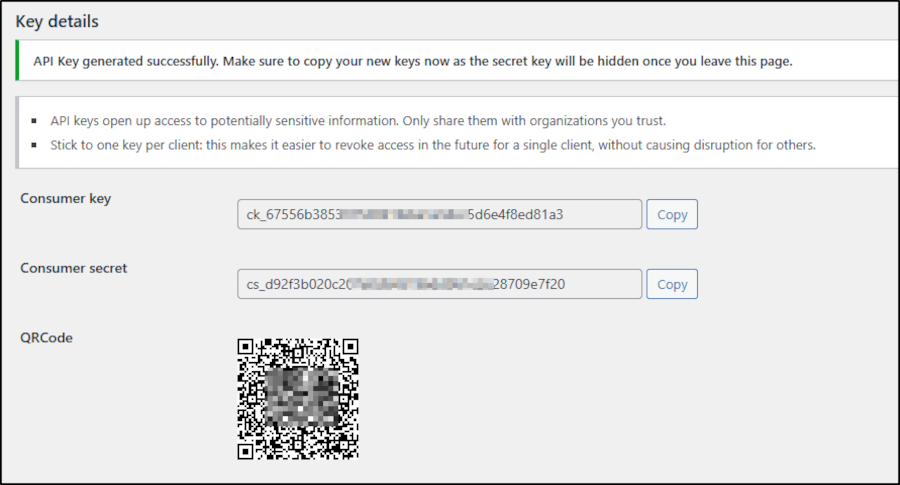
The screen will refersh and display for you the API Consumer key and the Consumer secret key.
Copy both of those to the fields below and click Save and Continue. You may also want to save these keys
to a secondary "safe" place in case you lose them as this is the
ONLY
time they will be displayed.
|
|