
Ecommerce App - Register a New Account
Before we can register you within this application you need to have some
Big Commerce information available. Please follow these steps to setup your
Big Commerce admin environment and create tokens and webhooks as needed.
|
|
The first thing to do is to create a Big Commerce Access Token for use within this RingCentral application.
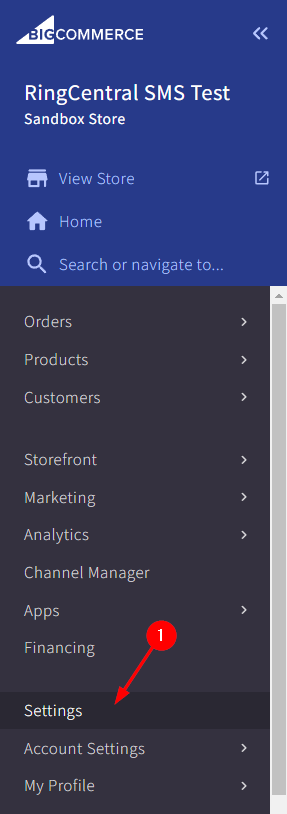
Within your Big Commerce admin area select the "Settings" link
[1]
as shown in the below image.
|
|
|
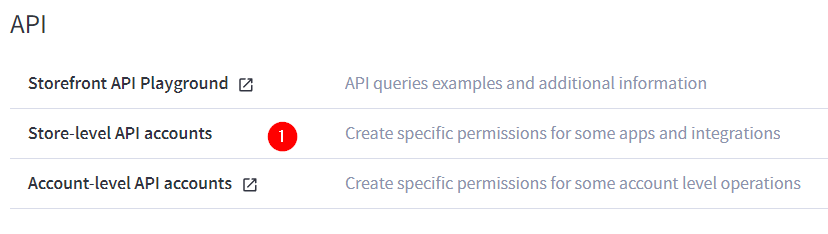
Next, click on the "Store-level API accounts" link at the bottom of the page in the API section.
|
|
|
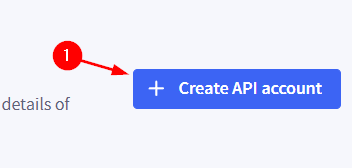
On the next screen click on the "Create API account" button.
|
|
|
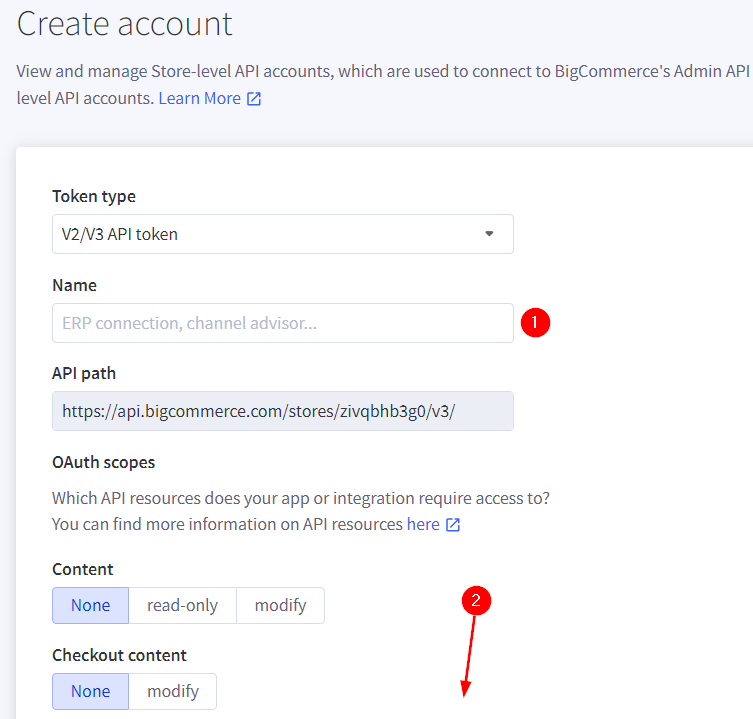
Next, keep the token type set to "V2/V3 API token", provide a name
[1]
for the account and scroll down the page
[2]
to select the scope for this account as shown in the below image.
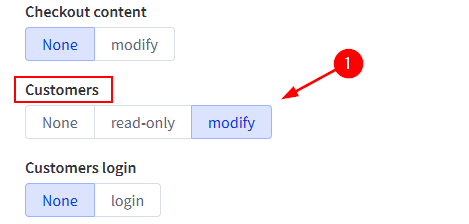
Locate the "Customers" category and move its designation to "modify".
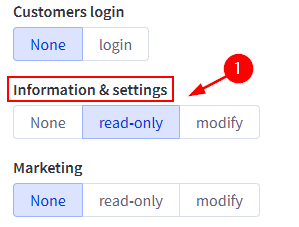
Next locate the "Information & settings" category and move its designation to "read-only".
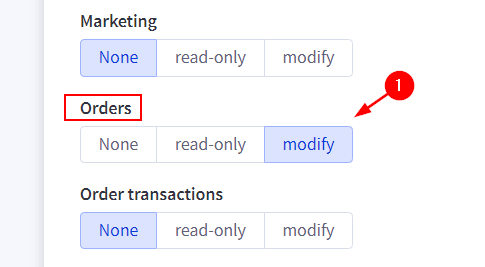
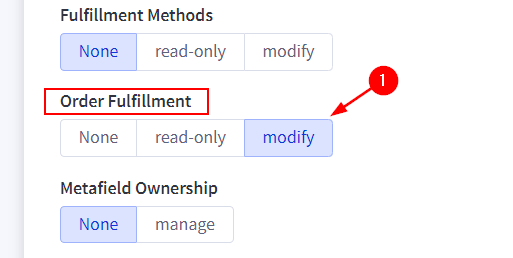
Then make changes to both the "Orders" and "Order Fulfillment" categories; setting them to "modify".
Finally, click save at the bottom of the page.
|
|
|
This will create the framework of an app on the Big Commerce admin site. Click
Continue on this page to complete the next steps of registration within this app.
|
|